
Before Tavole
- Managers waste time updating PDFs, social links, and profile pages separately.
- Sold-out dishes stay visible and disappoint guests.
- Seasonal changes take too long to publish.
Menu management
Tavole gives owners and managers one place to update the menu details guests rely on before and during a visit.
Where this feature helps
Tavole gives owners and managers one place to update the menu details guests rely on before and during a visit.
Menu management
Update dish names, descriptions, pricing, photos, sections, tags, and availability from one dashboard.
Use the same menu source across QR codes, public profiles, and discovery listings.
Make quick changes before opening, during service, or after a menu meeting without recreating files.
Premium product experience
Tavole keeps the guest-facing experience elegant while giving owners a practical place to update menus, publish changes, review performance, and improve discovery.
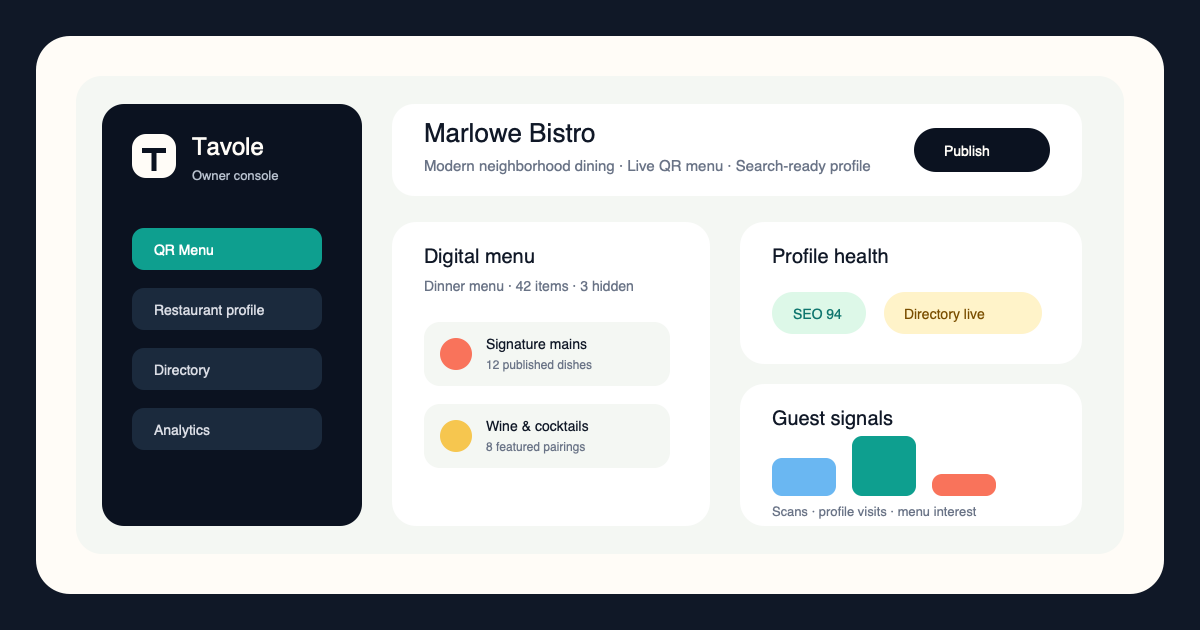
Menu management
Tavole helps restaurants move from decision to guest-facing update in minutes.
Enter the new dish, description, price, section, and photo.
Check how guests will see the item before it goes live.
The QR menu and profile stay aligned from the same update.
Connected growth system
Tavole connects table scans, search visibility, directory discovery, and menu publishing so every guest touchpoint feels intentional.
Turn every table, counter, and window into a polished digital menu entry point.
View feature ->Give guests a fast, beautiful restaurant page built for search, menus, and visits.
View feature ->Help nearby diners discover the right place by cuisine, mood, location, and menu.
View feature ->Present food, drinks, prices, photos, and sections with a premium mobile experience.
View feature ->Owner guide
These guides focus on search, menu clarity, premium presentation, and turning more discovery moments into visits.
How owners can make table scans feel premium instead of temporary.
Read guide ->What a modern restaurant profile needs before guests choose where to eat.
Read guide ->Small menu design choices that make dishes easier to understand and order.
Read guide ->How directories and search pages can bring more qualified guests to the door.
Read guide ->FAQ
Yes. Tavole is built for regular menu changes, seasonal updates, and short-run specials.
Tavole is designed for restaurant teams, so ownership and workflow can fit real operations.
Yes. Availability controls help keep the guest experience accurate.
It can complement printed menus or serve as the primary QR menu, depending on how the restaurant operates.
Open your best digital table
Use Tavole to launch a premium QR menu, searchable restaurant profile, and discovery listing built around how guests actually decide.
Register your restaurantEarly restaurant access
Reserve a profile, launch a stronger QR menu, or add deeper onboarding when your restaurant is ready.
For restaurants that want to claim a Tavole profile and prepare their menu structure before launch.
For independent restaurants ready to publish a polished QR menu and search-ready profile.
For teams that want richer branding, onboarding, and multi-menu or location support.