
Before Tavole
- Long PDFs force guests to pinch, zoom, and search.
- Menu sections are hard to scan when everything looks the same.
- Photos, descriptions, and dietary notes are inconsistent or missing.
Digital menu design
Tavole turns menu content into a premium mobile experience with clear sections, dish detail, photos, pricing, and brand presence.
Where this feature helps
Tavole turns menu content into a premium mobile experience with clear sections, dish detail, photos, pricing, and brand presence.
Digital menu design
Sections, descriptions, prices, and tags are arranged so guests can find what they want without effort.
Highlight signature dishes, tasting menus, seasonal items, and high-margin categories with a polished layout.
The menu can feel like your restaurant: elegant, casual, modern, classic, intimate, or lively.
Premium product experience
Tavole keeps the guest-facing experience elegant while giving owners a practical place to update menus, publish changes, review performance, and improve discovery.
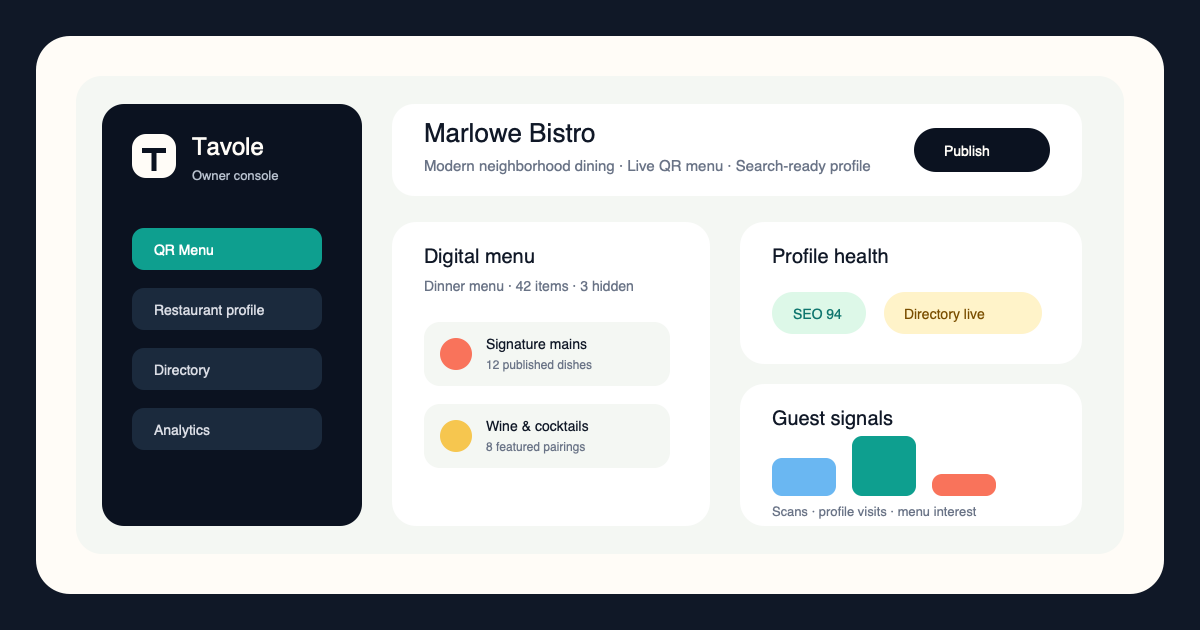
Digital menu design
Tavole keeps the menu close to how guests decide: category, appetite, dietary needs, price, and confidence.
Create sections for snacks, mains, desserts, drinks, wine, brunch, or tasting menus.
Use concise dish descriptions that clarify ingredients and point of view.
Bring attention to signature dishes, pairings, and seasonal highlights.
Connected growth system
Tavole connects table scans, search visibility, directory discovery, and menu publishing so every guest touchpoint feels intentional.
Turn every table, counter, and window into a polished digital menu entry point.
View feature ->Give guests a fast, beautiful restaurant page built for search, menus, and visits.
View feature ->Help nearby diners discover the right place by cuisine, mood, location, and menu.
View feature ->Present food, drinks, prices, photos, and sections with a premium mobile experience.
View feature ->Owner guide
These guides focus on search, menu clarity, premium presentation, and turning more discovery moments into visits.
How owners can make table scans feel premium instead of temporary.
Read guide ->What a modern restaurant profile needs before guests choose where to eat.
Read guide ->Small menu design choices that make dishes easier to understand and order.
Read guide ->How directories and search pages can bring more qualified guests to the door.
Read guide ->FAQ
Yes. Tavole can organize food menus, wine lists, cocktails, tasting menus, brunch, happy hour, and seasonal sections.
Yes. Photos can help premium dishes and signature items stand out when used intentionally.
Yes. Clear sections, readable descriptions, and easy mobile navigation reduce hesitation and help guests choose faster.
Tavole is designed for premium presentation and usability so the digital experience feels aligned with the venue.
Open your best digital table
Use Tavole to launch a premium QR menu, searchable restaurant profile, and discovery listing built around how guests actually decide.
Register your restaurantEarly restaurant access
Reserve a profile, launch a stronger QR menu, or add deeper onboarding when your restaurant is ready.
For restaurants that want to claim a Tavole profile and prepare their menu structure before launch.
For independent restaurants ready to publish a polished QR menu and search-ready profile.
For teams that want richer branding, onboarding, and multi-menu or location support.